§ MERCHANT PAIN
Why your Shopify store isn't converting (and how AI fixes it)
Why is my Shopify store not converting? Here are the 8 most common reasons stores stall below 1.5% CVR, a diagnostic checklist, and how AI closes the gap.
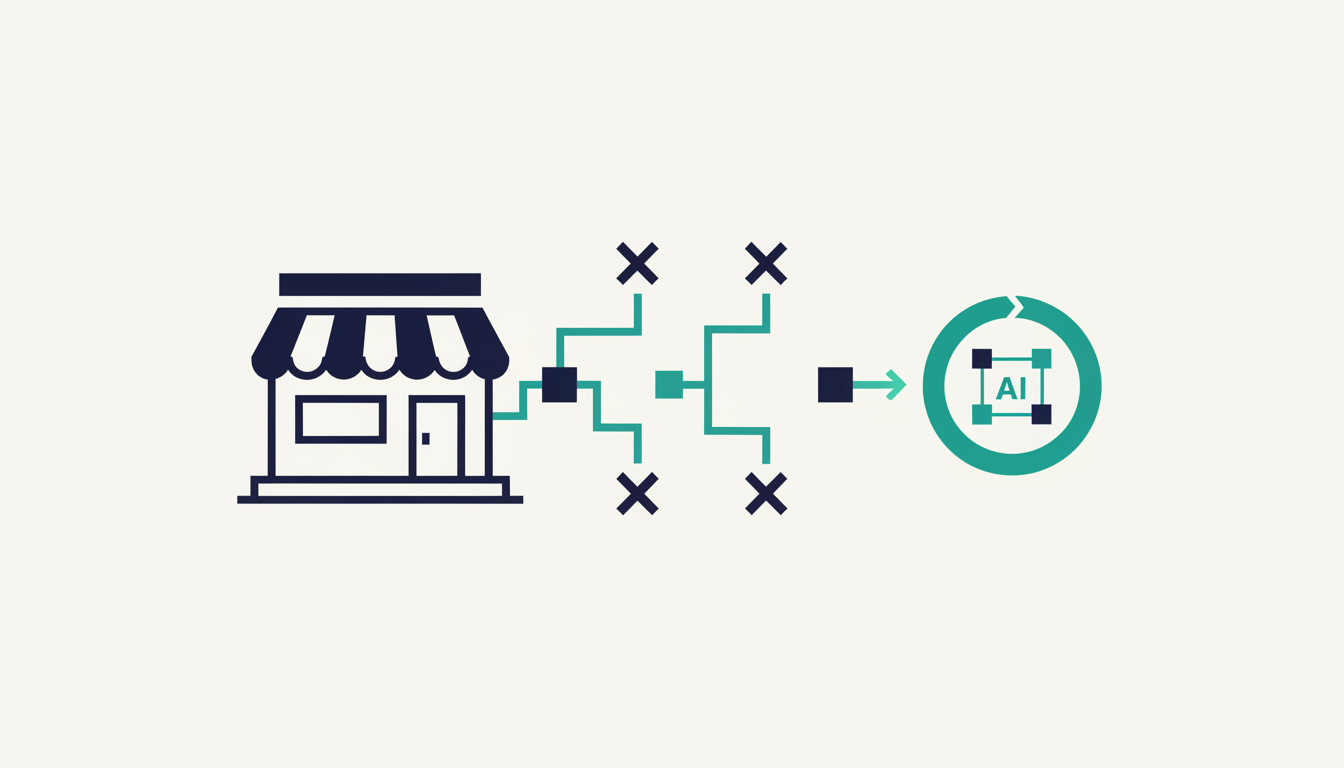
ShopShift runs autonomous CRO on your store — start free.
Why is my Shopify store not converting? Here are the 8 most common reasons stores stall below 1.5% CVR, a diagnostic checklist, and how AI closes the gap.
TL;DR
- The global median Shopify CVR is 1.4–1.7% — if you are below 1%, something specific is broken, not everything.
- Run the diagnostic tree first. Applying random fixes before knowing the real bottleneck wastes weeks and hides the real problem.
- The eight most common conversion killers are: unclear hero, broken mobile UX, surprise shipping costs, missing trust signals, slow page speed, checkout friction, fake urgency, and catalogue overwhelm.
- Fix one surface at a time, measure for 7–14 days, then move on. Stacking changes makes attribution impossible.
- When the easy wins are gone, the next gains live in combinations and micro-copy no checklist surfaces — that is where autonomous conversion optimization takes over.
Why is my Shopify store not converting?
The short answer: your store is almost certainly not broken everywhere — it is broken in one or two specific places, and every other part of the funnel is fine. The mistake most merchants make is treating a low conversion rate as a brand problem or a traffic problem, when it is almost always a funnel problem with a single dominant bottleneck.
Here is what the data actually shows. Littledata's 2024 Shopify benchmark measured over 3,700 stores and found a sitewide median CVR of 1.5%. The bottom 20% of stores convert below 0.5%. The top 20% convert above 3.6%. The difference between the bottom and the top is not budget, not brand, and not catalogue size — it is whether the store removes friction at the specific moment a buyer is ready to buy.
The sections below give you the diagnostic tree to find your real bottleneck, the eight most common causes ranked by frequency, and the fixes that move the number.
The diagnostic tree — run this before you change anything
Applying a fix before knowing the real problem is how merchants waste months on things that do not move the needle. Spend 30–60 minutes on this tree first.
Step 1: Is your traffic real? Open Shopify Analytics or Google Analytics and check average session duration for direct traffic. If most direct sessions are under 5 seconds, you have a bot problem. Bots inflate session counts, crash CVR, and make every metric untrustworthy. Fix this before everything else.
Step 2: Where in the funnel do visitors drop? Map your funnel: homepage → category page → product page → cart → checkout → order confirmed. The biggest drop is your actual bottleneck. If 75% of visitors leave at the product page, fixing the checkout is wasted effort — the buyer never gets there.
Step 3: Is mobile broken? Open your store on a real iPhone and a real Android device — not Chrome DevTools' mobile simulator. Try to find a product, add it to cart, and check out end-to-end. Note every moment of hesitation. If any step requires more than two taps or one scroll, you have found the bottleneck. Shopify stores in 2025 get 60–75% of sessions from mobile; a broken mobile experience is a broken store.
Step 4: Are people adding to cart but not reaching checkout? Compare your add-to-cart event count to your begin-checkout event count in Shopify Analytics. A drop of 50% or more at this step almost always means one thing: unexpected shipping costs revealed at cart. Surface the shipping cost — or the free-shipping threshold — on the product page itself.
Step 5: Is checkout actually completing? Test checkout weekly with a real payment method on Chrome desktop, Safari mobile, and one in-app browser (Instagram or Facebook). Apple Pay fails silently in some configurations. Klarna blocks certain countries. iOS Safari blocks third-party cookies that some payment processors require. Something always breaks; find it before your buyers do.
Step 6: Does a stranger understand your homepage in 5 seconds? Show your homepage to someone who has never seen it. Cover the screen at 5 seconds. Ask: what does this store sell, who is it for, and why should I buy here? If any answer is hesitant, your hero section is the bottleneck — and it is the single most common failure on stores under $20k/month revenue.
Step 7: Are trust signals visible without scrolling on the product page? Open a random product page. Without scrolling, check whether you can see: a star rating with review count, a shipping promise, a returns mention, and at least one payment-method badge. If any of these are missing above the fold, that is the fix.
The first step that fires a "yes, this is broken" answer is the bottleneck. Fix only that one.
The 8 most common reasons Shopify stores don't convert
1. The hero doesn't say what you sell
This is the most common cause of low CVR on stores doing under $50k/month. A buyer lands on your homepage with zero context. If the headline is abstract — "Elevate your life" — and the only image is a lifestyle photo with no product visible, the buyer has no idea what to buy or why. They leave within 4 seconds.
The fix: one sentence above the fold that names the product and the benefit. One CTA. One image that shows the product clearly. Cut the carousel. Cut the secondary CTAs. Cut the 40-word tagline. Replace everything with the simplest possible answer to: "What do you sell and why should I care?"
Typical lift from fixing a vague hero: 8–20% relative improvement in sitewide CVR, visible within two weeks.
2. Mobile UX is broken
Desktop looks fine. Mobile is where 60–75% of your traffic lands, and the experience is often an afterthought. The most common mobile failures we see:
- Buttons smaller than 44×44 pixels (thumbs miss them)
- No sticky add-to-cart on long product pages
- Image galleries that trap the page scroll instead of swiping horizontally
- Checkout button placed below the fold on small screens
- Text that requires pinching to read
The Shopify themes that handle mobile well in 2025: Dawn (free), Sense, and Symmetry. Themes that routinely have mobile issues after heavy customisation: older versions of Brooklyn, Debut, and Minimal. If you are on a pre-Online Store 2.0 theme, migrating to Dawn is usually a net positive — but run the diagnostic tree first so you know which specific mobile issues you are targeting.
Typical lift from a mobile UX overhaul: 15–40% relative on mobile CVR.
3. Surprise shipping costs at checkout
Baymard Institute's 2024 checkout usability data found that 48% of cart abandoners cite unexpected costs as the primary reason. The word "unexpected" is doing the work here — buyers are not always refusing to pay for shipping, they are refusing to have it revealed at the last step of checkout after they have spent 10 minutes finding a product.
The fix: surface shipping costs — or the free-shipping threshold — on the product page, on the cart page, and in a sitewide banner. "Free shipping over $75" in a banner at the top of every page removes the surprise entirely. Add it in two places before they reach checkout and watch cart-to-checkout rate climb.
4. Missing or unconvincing trust signals
First-time buyers do not know you. They are being asked to give their credit card to a domain they found 4 minutes ago. Without visible trust signals, a meaningful percentage of buyers who have decided they want the product will still not complete the purchase — the risk feels too high.
What actually moves conversion:
- Star rating + review count visible without scrolling on every product page (even a 4.4 average with 12 reviews is better than nothing)
- Returns policy stated in plain language, above the fold or immediately below the add-to-cart button
- Shipping promise with a specific date range, not just "ships within 1-3 days"
- Payment method icons (Visa, Mastercard, PayPal, Apple Pay) as visual reassurance that checkout is standard
- UGC or photo reviews further down the page for buyers who scroll
Do not add fake or unverifiable signals. Buyers detect mismatch — a "10,000 happy customers" badge with 3 reviews visible on the page reads as dishonest and hurts conversion more than it helps.
5. Page speed below acceptable thresholds
Google's own data puts the mobile bounce rate increase at roughly 32% when page load time goes from 1 second to 3 seconds. Shopify stores with heavy app installations, uncompressed images, and render-blocking scripts routinely sit at 4–7 seconds on mobile.
The biggest speed levers:
- Convert hero images to WebP or AVIF and cap them at 200KB
- Audit installed apps — every unused app injects script and increases TTFB even when disabled in the theme
- Remove render-blocking JavaScript from the
<head> - Use Online Store 2.0 themes, which inherit Shopify's CDN-backed storefront by default
Typical lift per 100ms saved: 1–3% relative CVR improvement. Not dramatic on its own, but it compounds and it improves Google Quality Scores for paid campaigns, which lowers your CPCs.
6. Too much checkout friction
Shopify's own checkout is fast, but merchants add friction on top of it. The most common additions that hurt conversion:
- Requiring account creation before purchase (turn on guest checkout — it is off by default in some older setups)
- A mandatory phone number field when it is not needed for order fulfilment
- Disabling accelerated payment methods (Shop Pay, Apple Pay, Google Pay)
- Not pre-filling country from the buyer's IP
Enabling Shop Pay alone — Shopify's one-tap repeat checkout — lifts checkout completion by an average of 18% for return buyers according to Shopify's own published data. Enable all accelerated methods. Remove every required field that is not strictly necessary. Each reduction is worth 2–6 percentage points on checkout completion rate.
7. Urgency and scarcity signals that are obviously fake
Low-stock counters and countdown timers lift conversion when the scarcity is real. They destroy trust when they are not. Buyers in 2025 have seen the same "Only 3 left!" badge on thousands of product pages, and they know to refresh the page. If the count resets, they close the tab.
Honest urgency implementations pull live inventory data or tie to a verifiable deadline — a sale that actually ends, a production run that actually closes. Dishonest urgency is detected fast and the trust damage is worse than no urgency at all.
8. Catalogue and navigation overwhelm
Buyers make faster purchase decisions on focused catalogues. A store with 12 products and clean navigation outconverts a store with 600 products and a 12-item top nav, all else being equal. More choice is not more conversion — it is choice paralysis.
If your catalogue is large, the fix is not to remove products but to improve the navigation so the buyer arrives at the right product in fewer steps: one or two top-level categories, faceted filtering that works on mobile, and a search bar that actually returns relevant results. If your top nav has more than 5 items, consolidate before you do anything else.
How to fix one thing at a time
The temptation after reading a list like the one above is to ship five fixes in a sprint. Resist it. When you ship five changes and CVR rises 10%, you cannot tell which change did the work — and you will keep maintaining all five changes, including the two that contributed nothing, forever.
The right cadence:
- Run the diagnostic tree. Pick the one bottleneck that fires first.
- Ship one fix.
- Wait 7 days minimum. For stores under 200 orders/month, wait 14–30 days.
- Compare CVR for the same surface and the same traffic source, before vs. after.
- Record the before/after numbers in a spreadsheet.
- Move to the next fix.
After 12 weeks you have 6–12 data points on what actually works for your specific store and your specific buyer. That beats any generic checklist.
What happens when the checklist runs out
Most stores work through the first three or four fixes on this list and see a real lift — typically 25–60% relative improvement over their baseline. Then the curve flattens. The obvious bottlenecks are fixed. The remaining gains are harder to find because they are not in any checklist.
This is where the economics of manual CRO break down. A skilled CRO consultant costs $5,000–$30,000/month. A junior in-house specialist costs more once you add benefits and management overhead. For a store doing $30k–$80k/month, neither is rational — the lift required to justify the cost is 30–40% relative, and gains after the easy wins are usually 5–15% per change.
The category designed for this gap is autonomous conversion optimization — an AI that runs the discovery, hypothesis, variant generation, and winner-selection loop continuously, from a single script tag. No test design. No manual hypothesis. No consultant. We built ShopShift as one implementation of this: paste one tag, and the AI starts running. Alternatives in the market include Intelligems (strong on pricing tests), Visually.io (visual editor focus), and Mida.so (lightweight A/B). The cornerstone post above covers how to evaluate the category honestly.
The honest framing: do the manual fixes first. The diagnostic tree in this post will find your real bottleneck. Fix it. Measure it. Move to the next. When the curve flattens and the next gains are in micro-copy variations, layout combinations that work on mobile but not desktop, and urgency framings calibrated to your specific buyer — that is the work that compounds when it runs continuously instead of when a human remembers to set up the next experiment.
Frequently asked questions
What is a normal Shopify conversion rate?
The sitewide median is 1.4–1.7% across all categories, but the median is misleading. Compare against your industry: beauty and skincare medians around 2.1%, home and furniture around 0.9%, food and beverage around 2.8%. A 0.9% rate on $800 average order value is healthier than a 0.9% rate on a $19 product — higher AOV almost always means lower CVR because the purchase decision takes longer.
Why is my add-to-cart rate high but conversion rate low?
This pattern almost always means one of two things: surprise shipping costs revealed at checkout, or a checkout step that is technically broken. Compare your begin-checkout count to your add-to-cart count. If the drop is 50%+, investigate cart-to-checkout. Then compare order-confirmed count to begin-checkout count — if the drop is 40%+, test your checkout end-to-end on real devices with real payment methods.
Does more traffic solve a low conversion rate?
No. More traffic amplifies whatever is already broken. If your CVR is 0.8% and you double your ad spend, you get twice as many visitors leaving without buying. Fix the conversion rate first, then scale traffic. The inverse is also true — a store with a 3.5% CVR scales ad spend profitably; a store with 0.8% CVR loses money faster as it spends more.
How long does it take to see lift after a fix?
For stores with 500+ orders/month, 7–14 days of post-change data is enough to see real signal. For smaller stores, you need 30+ days or you are reading noise. The mistake to avoid is reading 48 hours of post-change data and declaring a win — daily CVR is too noisy to trust without at least a full week of context.
Do Shopify apps hurt conversion rate?
Some do. Every installed app injects JavaScript that increases page load time, even apps that are disabled in the theme. Popup apps, review apps, loyalty apps, and upsell apps are the most common offenders. Audit your app list quarterly: remove anything you are not actively using, and measure page speed before and after. The impact varies — some stores see a 0.5-second improvement after removing 3–4 unused apps, which translates to 1–3% relative CVR lift.
Should I use a paid Shopify theme to increase conversions?
Not necessarily. The free Dawn theme is one of the best-converting themes available in 2025 because it is fast, mobile-first, and built on Online Store 2.0. A paid theme like Symmetry or Sense adds design flexibility and built-in features that some stores need, but a well-configured Dawn will outconvert a poorly-configured paid theme every time. Theme choice matters less than what is inside the theme.
Can AI really fix conversion problems automatically?
For the easy fixes — unclear hero, missing trust signals, checkout friction — a human with this diagnostic post can find and fix them faster than any AI. Where AI adds value is after those easy wins are taken, when the next gains are in combinations and variations no human would think to test systematically. That is the specific use case for autonomous conversion optimization: continuous, unattended testing of the long tail of hypotheses that a human checklist never reaches.
Related reading
- What is autonomous conversion optimization? — the category definition and how to evaluate tools honestly.
- ShopShift product overview — how the autonomous loop works in practice.
- Pricing and the 30-day free trial — what it costs to hand the optimization loop to AI.
START TRIAL
Try ShopShift on your store.
The AI runs the same loop this post just described — discovery, hypothesis, variant design, winner selection — from a single script tag. No experiments to design.
30-day free trial · cancel any time
§ RELATED · MERCHANT PAIN